We’ve introduced Sender Domain settings inside Email Campaigns for our LC users to give them more control and reduce email delivery failures.
What was the problem?
- Campaigns were failing when the sender email had issues—for example, using a public domain address or when the sender email didn’t match the selected sending domain.
- Users were also restricted to default settings and couldn’t choose which domain a specific campaign should use.
What’s new?
Shared Domains
If a campaign is sent using a public or shared email address, we will automatically modify it to make it compliant so the campaign doesn’t fail.
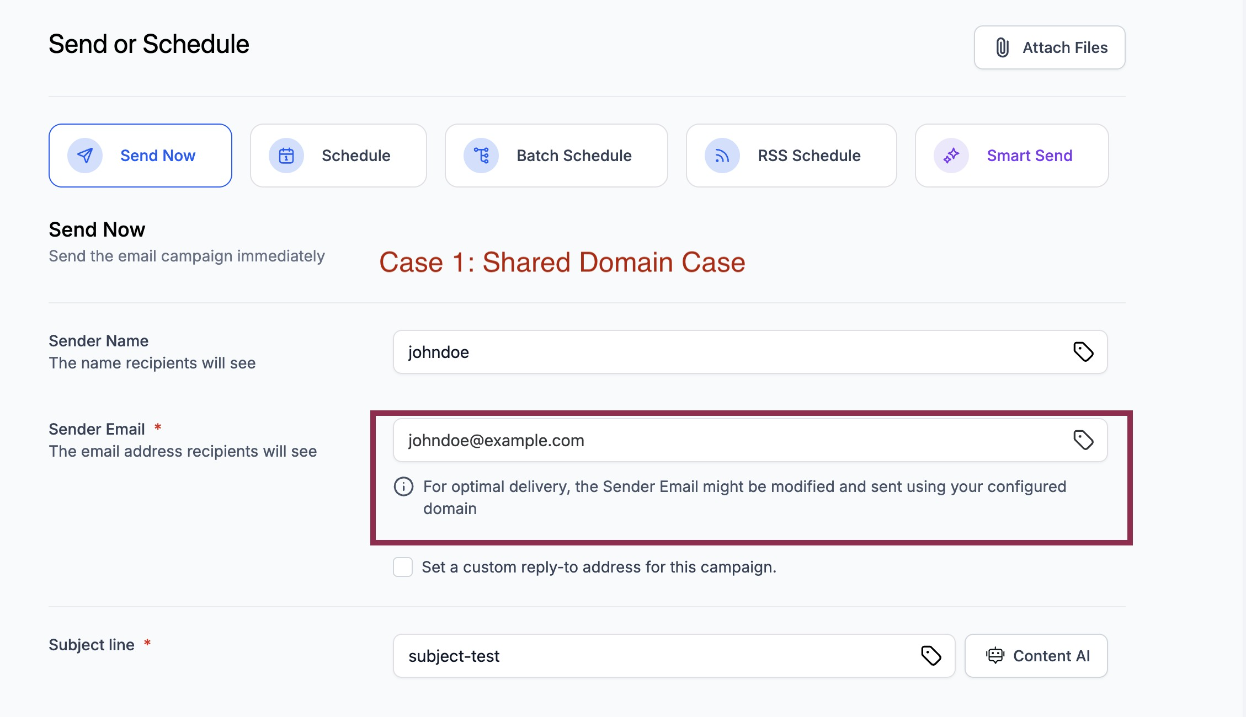
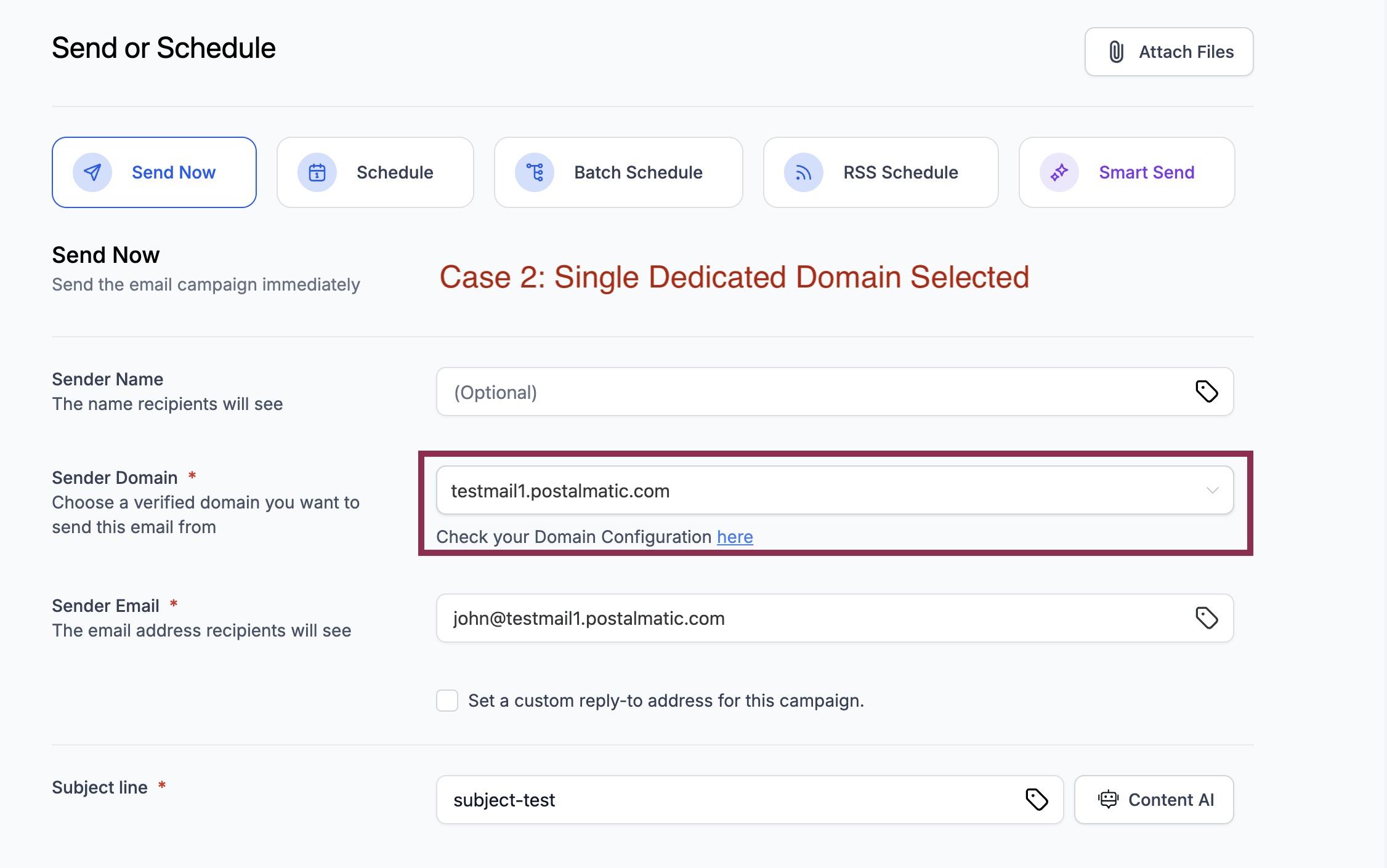
One Dedicated Domain (Default or Account Dedicated)
The correct sender domain is automatically pre-selected. The UI now checks the sender email and alerts users if there are issues, along with clear error messages.
Multiple Domain Setup
Users can now choose a single domain or all domains (based on domain configuration rules) for their campaign.
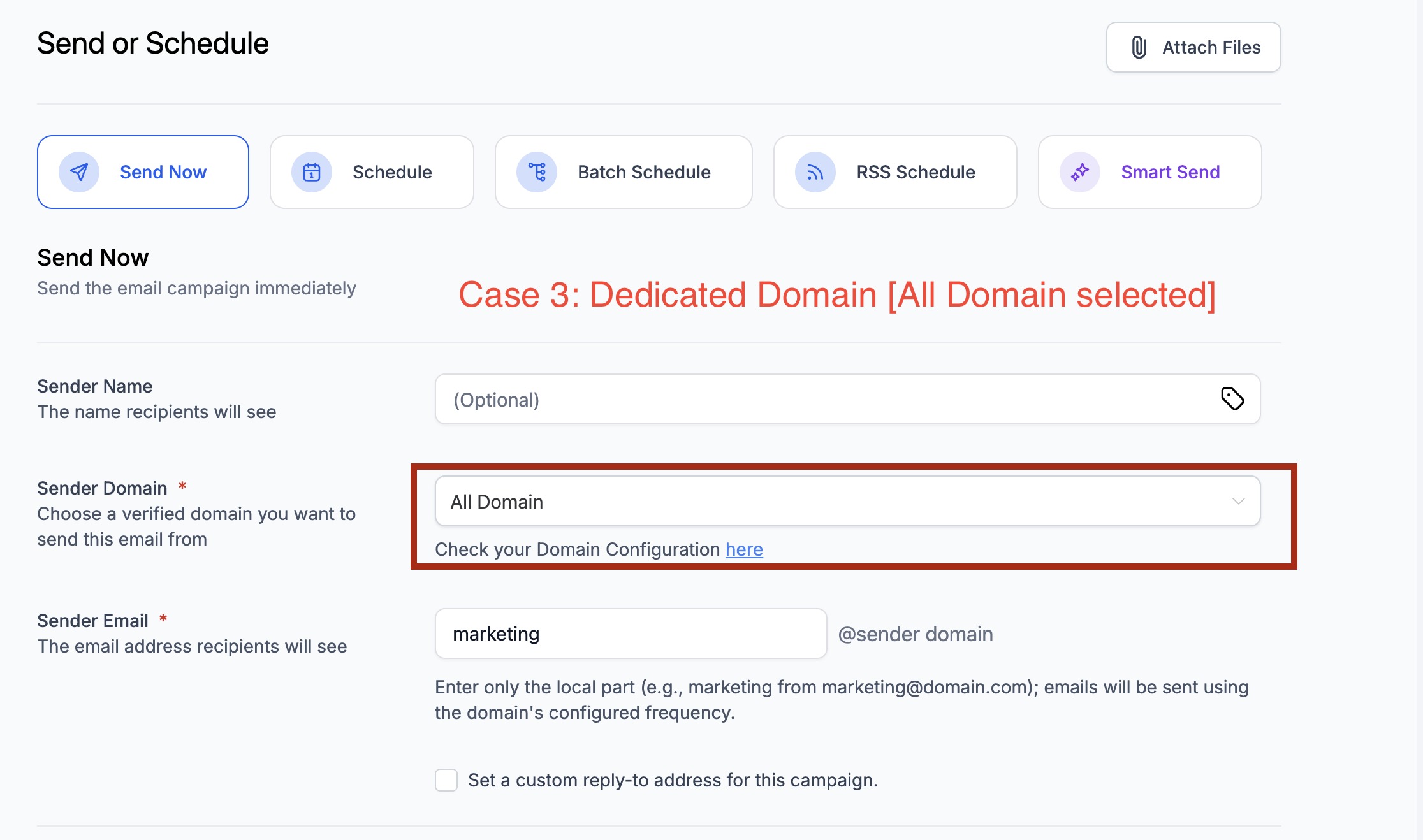
A quick-access link in the UI allows users to easily review their domain configuration.
Benefits
- Fewer email failures due to improved domain compliance
- More flexibility to select the right domain for each campaign
Where to find it?
Marketing → Emails → Campaigns → Send or Schedule
Note
:For non-LC users (e.g., SMTP users), nothing changes—your process stays the same.
Was this article helpful?
That’s Great!
Thank you for your feedback
Sorry! We couldn't be helpful
Thank you for your feedback
Feedback sent
We appreciate your effort and will try to fix the article